
Productivity Virus
{ INTRO }
PROJECT OVERVIEW
Forming a positive habit can take months, making it easy to get side-tracked or give up entirely.
This project was made to help me become more consistent in my personal work.
(It's pretty funny how it functions.)
The "Productivity Virus" as I like to call it was essentialy a background process which made it near impossible for me neglect projects I was working on at the time.
How does it work?
The process constantly monitors my computer, closing any application that isn't work related, whilst tracking the time spent on apps that are.
For example if I try open up a video game the process will terminate it on the spot.
(Terrifying.)
The process also features a complimentary chrome extension used to monitor my activity on the web, preventing me from accessing websites such as Netflix and YouTube.
Since I know myself best, I was able to blacklist all websites and apps that I use in my leisure time.
What if you get lazy and close it?
This was the first thought I had when I started this project.
"What if I just can't be bothered?"
Well... I made it so I can't.
Task Manager? Blacklisted.
Resource Monitor, Powershell, Command Prompt, Rebooting the PC. BLACKLISTED!
Any method I knew to close the process was programmed to be restricted by that very process, which is why I call it a "virus".
This sounds like it could backfire.
Rightfully so.
Despite sounding like a monster of a process I actually made it pretty lenient, simply by adding some rules in place.
1) The process is active from 13:00 until 21:00.
2) Once I've completed 3 hours of work, the process will play a jingle sound, indicating my freedom for the rest of the day.
3) YouTube works, but only for playing music.
Did this "virus" actually help?
Kinda?
I was left with two options.
Either do the work for 3 hours or wait until 21:00 and be free. The better choice was obvious.
It was able to keep me in check for about 2 weeks, where I spent 3-6 hours a day working on my other projects.
After those 2 weeks well... let's just say certain daily routines can lead to madness.
I decided it was best to stop the process altogether.
No one should have to force themselves to be productive.
Besides... me creating this "virus" was already a productive feat, so do I really need it?
KEY FEATURES
- 1
Integrated chrome extension.
- 2
Timed notifications.
- 3
Personalized configuration.
- 4
Once it starts, I can't close it...
{ GALLERY }
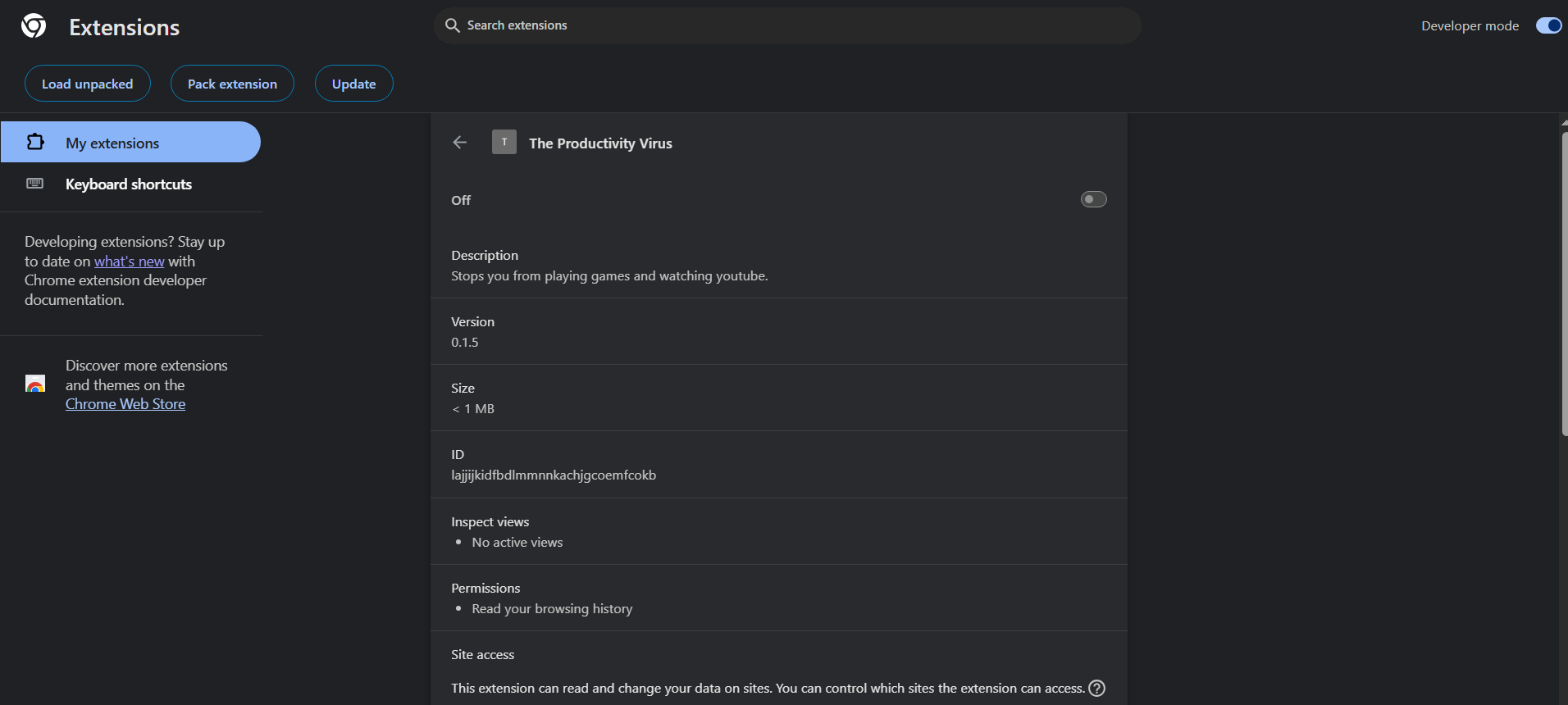
Chrome Extension
The extension created for monitoring my web activity.
Fun fact: This webpage in particular was inaccessible in order to prevent me from switching it off.
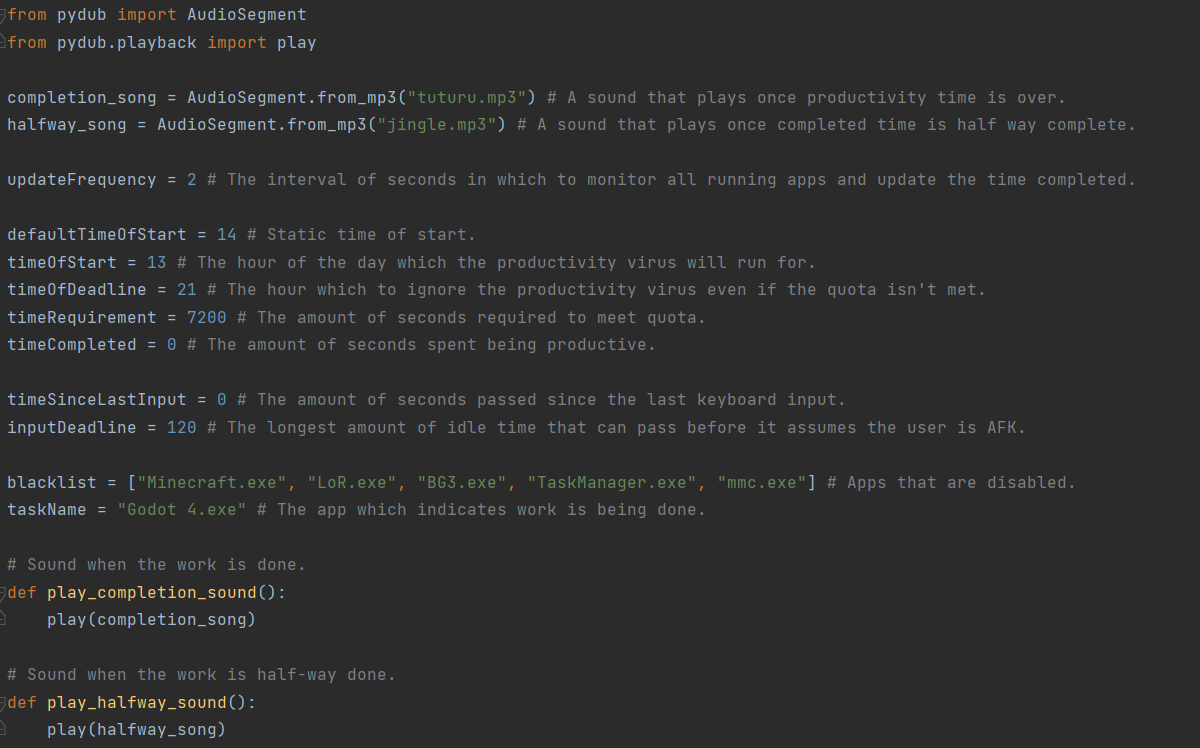
All the settings
A script containing variables for all the things which are tracked. Ideally I should of used a better method of storing this, such as a dictionary or JSON file, lesson learned.

Checking for productivity & Detecting a slacker
The function named "check_for_productivity" updates the time spent working until it totals to 3 hours.
It also checks if I've been using my keyboard frequently, preventing me from cheating by leaving for the entire duration.
The function named "check_running_apps" simply terminates any blacklisted applications.

Convenience
Allows me to press keys F9 and F10 to either start working early or check how much time is left until
the 3 hour mark.
{ OVERVIEW }
Python API Stack
- Pynput
- Notify-Py
- Py-Youtube
- Pydub
DEVELOPMENT CHALLENGES
Browser Integration
Building the chrome extension to communicate smoothly with the background process involved managing permission requests and timing differences, while ensuring the system ran smoothly.
Performance
The process needed to run continuously without noticeably affecting CPU performance.
Coordinated downtimes and coroutines were necessary to avoid weighing down the device.