
June Bot
{ INTRO }
PROJECT OVERVIEW
Fascinated by the abundance of unique bots on the Discord platform I decided to create my own.
Named after the month the project started and visually inspired by a popular anime, I present to you June.
Written entirely in Python and hosted through a private GitHub repository using Heroku.
June is able to interact with its users, offering diverse commands for both leisure and education.
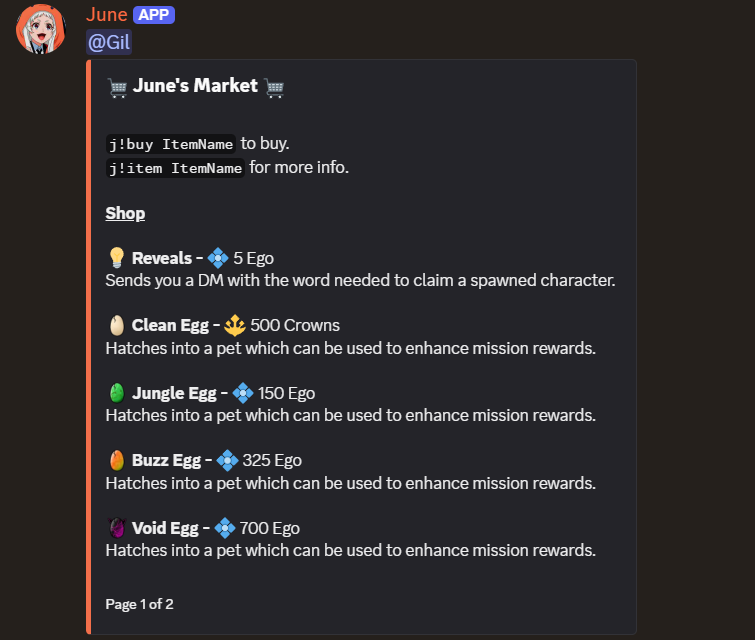
The bot also features it's very own DCCG (digital collectible card game) with a carefully implemented economy system to match.
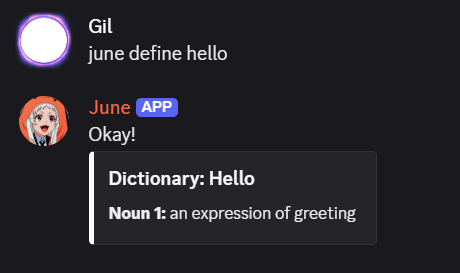
As for useful features, June is able to define words, translate languages and surf the web.
Fun Fact: I didn't know any Python before starting this project. It's large scope allowed me to learn a ton in just under a month!
{ FEATURES }
Entertainment
June's primary goal is user engagemenet. It's equipped with visual minigames like trivia, type-racer, charades and uno. It can also roll a dice, perform magic 8 ball, choose between things, predict odds and much more.
Utility
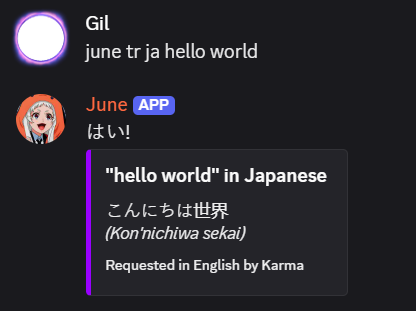
Aside from entertainment it can also offer help by performing a web search, translating words or simply acting as a calculator.
Configuration
Server admins can directly configure the bot's settings in order to disable certain features or change the way automation works.
LANGUAGE TRANSLATION
(Hover to reveal)
LANGUAGE TRANSLATION
Two-way translation of the following languages.
English, French, Finnish, German, Japanese, Mandarin, Dutch, Spanish, Albanian, Korean, Norwegian, Irish, Croatian, Latvian
EVENT LISTENER
(Hover to reveal)
EVENT LISTENER
Monitors all relevant user/server activity to trigger the corresponding bot functions.
This ensures June responds dynamically to changes and activity across the server.
PERMISSION SYSTEM
(Hover to reveal)
PERMISSION SYSTEM
Configuration commands can only be performed by a server admin.
Prevents the mishandling of settings which determine June's behavior.

TRADING CARD GAME
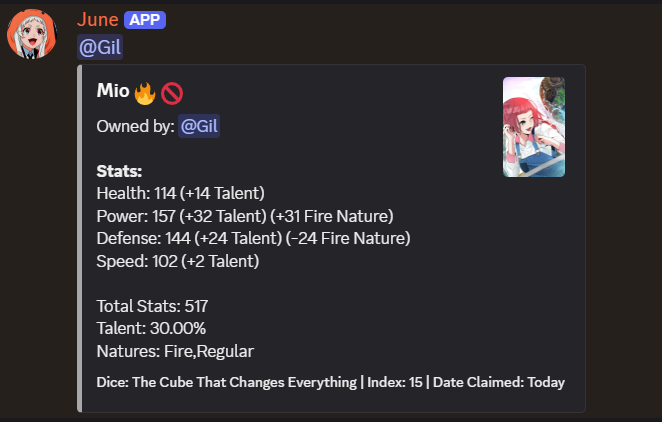
One of the most unique features June offers users is an exclusive anime-trading card game.
During random moments with high server activity, June will drop a card into the channel accompanied by an incomplete word.
The first user to guess the incomplete word has the card added to their personal collection.
All cards claimed are relative to the user, meaning they are consistent across servers that have June integrated.
More about cards:
UNIQUE STATS
Every card has randomly generated attributes which can make them more or less desirable.
BATTLE SYSTEM
Users can assign "skills" to cards which are subsequently used to simulate a battle against other cards.
TRADING
All cards can be traded between users or simply gifted from one to another.
{ COMMANDS }
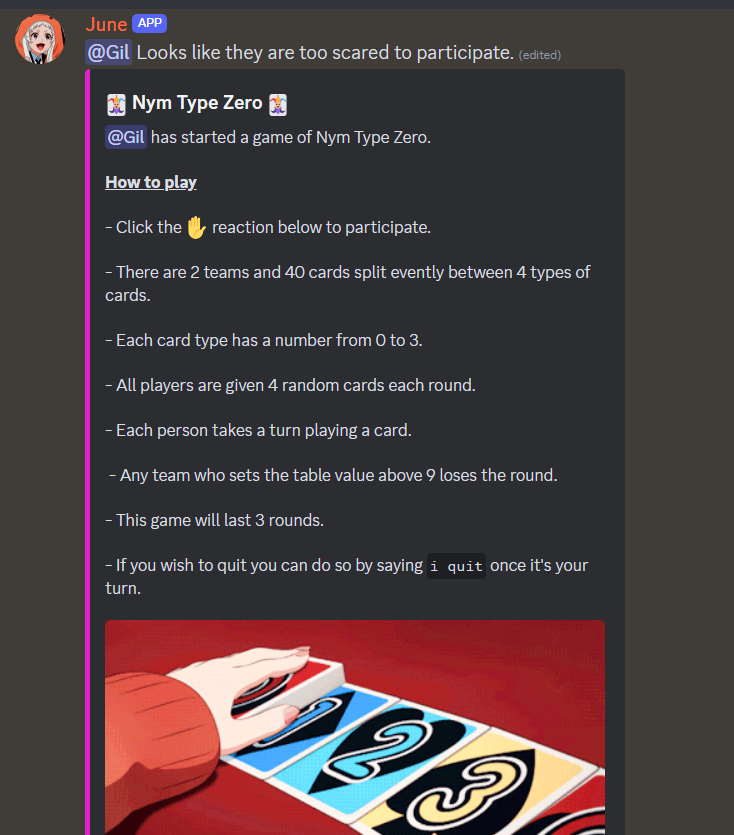
Nym Type Zero
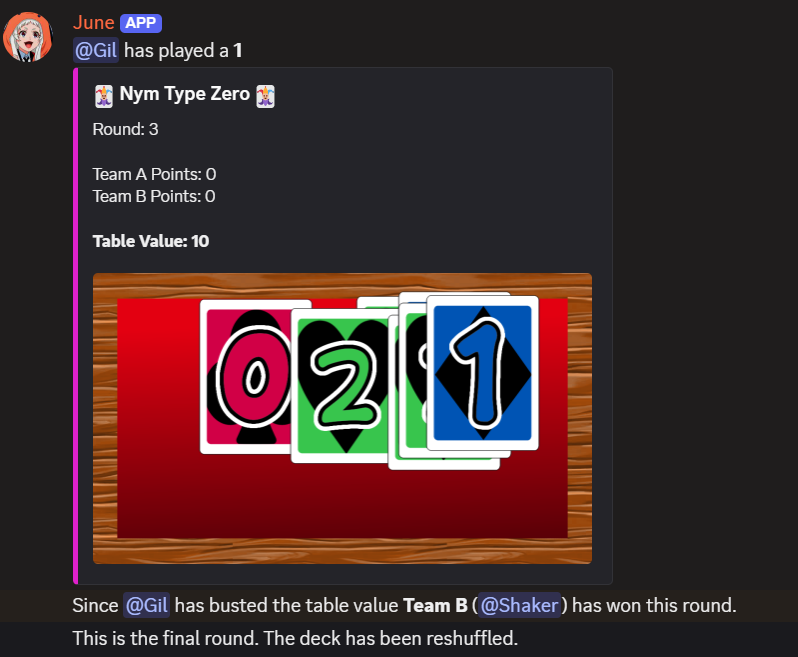
Users can launch a competitive instance of a multiplayer card game by typing j!nym into a channel.
This game uses a coordinated image-creation system to simulate cards being placed on a table as users take their turn.
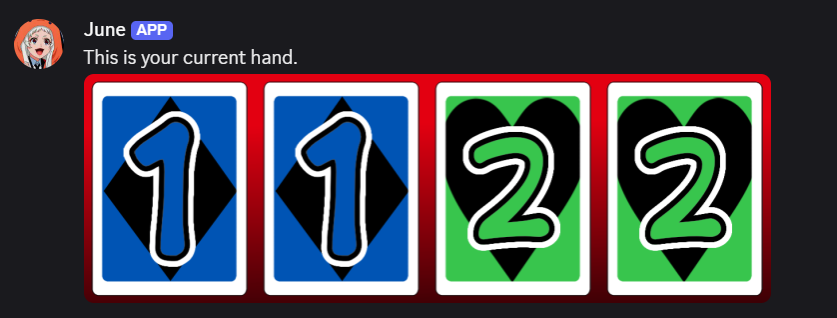
A player's hand is presented to them through direct messaging and updated by June in real time.
Inner Workings:
Multiple instances of the game can be ran simultaneously with countermeasures in place to prevent same-user misuse or spamming.
Prolonged inactivity causes the instance to be dropped in order to save processing power.
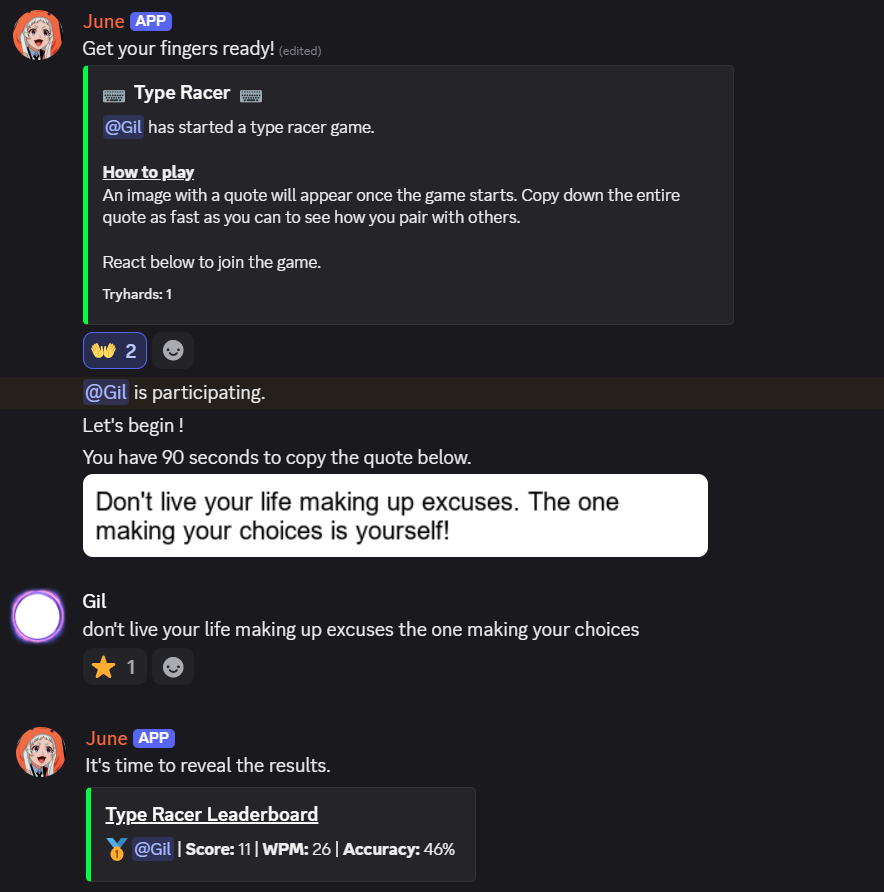
Type Racer
The j!type command starts a Type Racer–style minigame that anyone can join.
Once the game begins a random quote is shown and participants have 90 seconds to copy it.
The winner is decided by calculating time-taken and overall accuracy.
Inner Workings:
An image of the quote is created and uploaded to prevent copying and pasting.
User score is determined by multiplying accuracy by words per minute and dividing the result by 100.
(Accuracy x WPM) ÷ 100
Help Guide
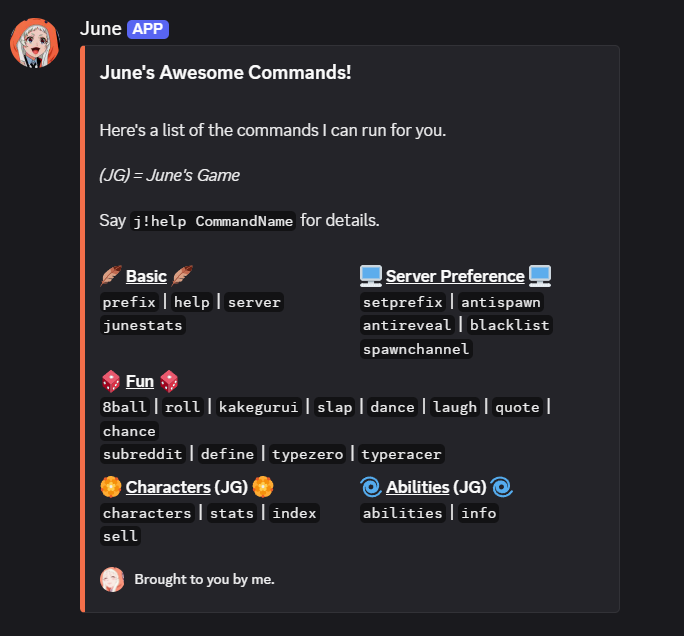
Using j!help allows the user to see a list of readily available commands.
Each command also contains a short form alias for convenience.
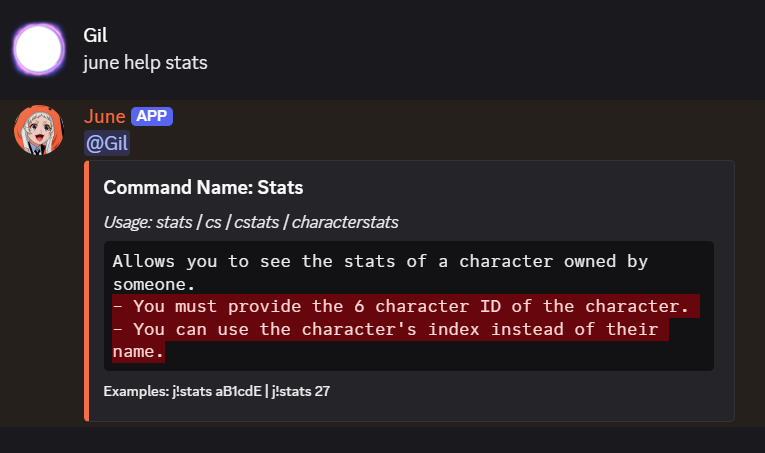
Details about every command and their aliases can be retrieved by including a parameter after the request for help.
For example: j!help typeracer
Inner Workings:
Command information is stored in a large JSON file which is read, formatted and finally embedded onto discord.
{ GALLERY }
<{ ARCHITECTURE }>
STEPS
- 1
Initialization for automatic maintenace on startup.
- 2
Event Modules for executing commands.
- 3
Data storing for saving changes.
STARTUP PROCESS
The bot must first initialize before any command can be executed. During this process a dedicated class is created which is responsible for handling all startup tasks. This keeps all early stage operations organized and ensures they run in a sequence.
Task 1) June gains remote access to a secure MongoDB database where all user and server information is stored.
Task 2) The database is updated to reflect any changes made during downtime.
Task 3) A template containing character-card information is checked for inconsistencies.
New functions are also set in place to make adding, editing or removing database entries a lot faster.
EVENT LISTENERS & MODULES
Once startup tasks are complete, the bot is ready to begin waiting for user commands.
Each command is bound to a "listener" which lets it know when a user is attempting to execute it.
Due to the large volume of commands and listeners, it would be a terrible idea to have them all in one script. This is where modules come in, also known as Cogs.
A Cog is a class that groups related commands and event listeners together. For example, one Cog might handle moderation commands and another may handle minigame commands.
Each Cog is usually placed in its own python file, this way different parts of the bot’s functionality are separated into clear, manageable modules.
June has 4 of these cogs: admin, utility, games, collections
Safety Measures:
1) Every command has a user-specific cooldown to allow for optimal memory usage. This prevents any attempts at a denial-of-service by spamming the same command over and over.
2) Changing June's server behavior requires that the user has moderation permissions in that same server.
DATABASE MANAGEMENT
Features like the trading card game and server-based settings require a lot of unique data, making it a bad idea to store it in memory. That's where MongoDB comes in.
When a user performs an action, such as winning a card, trading with another user, or earning currency, the bot updates their stored database record so that their progress is always preserved.
Likewise when a server administrator edits June's behavior to run in specific channels, disable commands or simply change it's prefix, this is also saved.
To manage all these data operations, the bot uses a utility class that acts as a layer between it and MongoDB. This class contains numerous functions to load, edit, delete, and query all data records by simplying providing it with a unique identifier which points to the specific user/server.
VISUAL PIPELINE
- Image Manipulation
- Text Formatting
- Embed Creation
EVENT ARCHITECTURE
- Event Throughput
- Event Priority
- System Coupling
MEMORY MANAGEMENT
- Object Pooling
- Memory Footprint
- Resource Loading
{ OVERVIEW }
Tech Stack
- GitHub
- MongoDB
- Heroku
- Visual Studio
- Sentry
Python Libraries
- AsyncIO
- Pillow (PIL)
- PyMongo
- Pandas
- Dnspython
- Dotenv
- UUID
- Discord.py
DEVELOPMENT CHALLENGES
Asynchronous Programming
Operations such as responding to commands, saving data, or communicating with external services can sometimes occur simultaneously. If these events aren't handled properly, they may interfere with each other or create race conditions that lead to incorrect behavior.
Database Consistency
Simultaneous updates or rapid user actions can cause data to become out of sync or overwritten if not handled carefully.
Deployment & Uptime
Prolonged periods of activity can lead to unexpected errors, memory leaks, network issues and sometimes even crashes.
Such rare events require careful monitoring, reliable restart systems, and consistent error handling so the bot can recover whenever something goes wrong.